Top 5 Smart Locks for a Keyless Home Entry
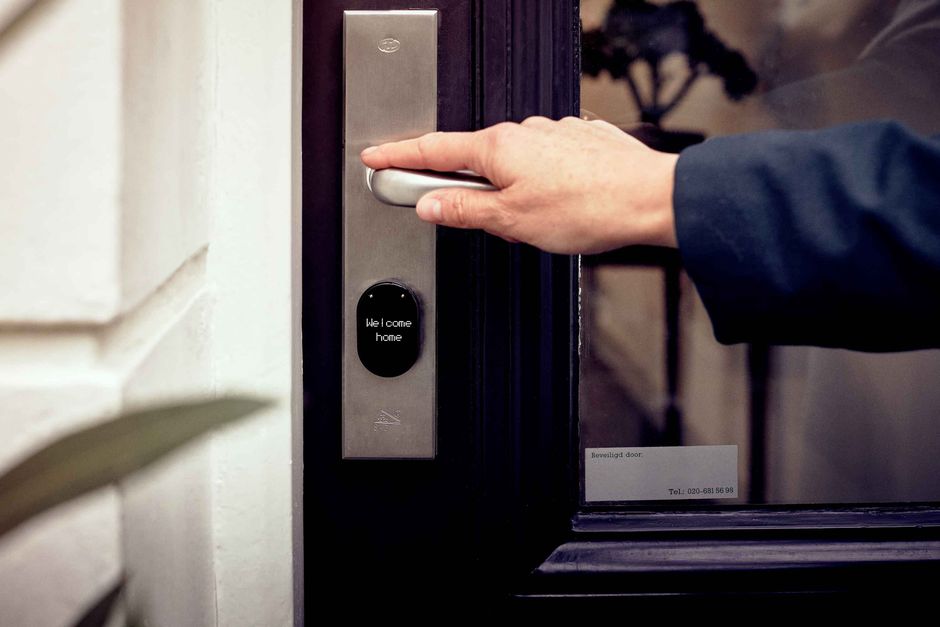
Smart locks have become a popular choice for homeowners seeking to modernize their entryways. By replacing traditional deadbolts, these devices offer a range of features that aim to improve convenience and security. This article examines five prominent smart locks, focusing on their key features, security aspects, and installation considerations. It also provides practical guidance for installing a smart lock and discusses the role of voice control and remote access in daily use. The aim is to provide a balanced overview that helps readers understand the current landscape of keyless home entry.
When evaluating smart locks, it is important to consider factors such as authentication methods, connectivity options, and compatibility with existing home ecosystems. Each model adopts a unique approach, balancing ease of use with security. This comparison will highlight these differences to assist in making an informed decision based on individual preferences and requirements.
Key Features Across Leading Smart Locks
Smart locks typically offer various ways to unlock a door, including numeric keypads, smartphone apps, biometric scans, and physical keys as a backup. In addition, many integrate with voice assistants like Amazon Alexa or Google Assistant, allowing hands-free control. Connectivity is usually via Wi-Fi or Bluetooth, with some models supporting Z-Wave or Zigbee for broader smart home integration. Battery life is a critical consideration, as frequent use can drain power quickly; most models provide low-battery alerts and some include backup power options.
The following smart locks are among the most widely discussed models:
- Yale Assure Lock 2: Known for its modular design and compatibility with various smart home platforms. It offers a keypad, app control, and optional Wi-Fi module. Multiple authentication methods including fingerprint and Apple Watch are available.
- August Wi-Fi Smart Lock: Designed for easy retrofit, it mounts over existing deadbolt. Works with existing keys, provides activity feed, and supports voice control. It uses geofencing to auto-lock/unlock.
- Schlage Encode Plus: Features a built-in Wi-Fi so no additional hub is needed. Supports Apple HomeKit, which enables use with Home Key for NFC-based unlocking. It also has a touchscreen keypad and traditional key.
- Level Lock+: A minimalist design that hides within the deadbolt, supporting both Apple HomeKit and Home Key. It offers a companion keypad, though the lock itself has no visible keypad. It is more expensive but offers high customization.
- Ultraloq U-Bolt Pro: Offers multiple unlocking methods: fingerprint, keypad, app, and key. The fingerprint sensor is integrated into the keypad, providing fast access. It also has an auto-lock feature and anti-peep keypad technology.
Each of these models has strengths and weaknesses regarding price, ease of installation, and feature set. It is advisable to compare specifications and consider how they align with your home’s existing infrastructure.
Security Considerations for Smart Locks
Security is a primary concern when adopting a smart lock. Encryption protocols, authentication methods, and physical tamper resistance all play a role. Most smart locks use AES encryption for communication and secure storage of credentials. Biometric systems, such as fingerprint readers, add a layer of convenience but may also present privacy considerations. Additionally, physical keypads can be vulnerable to shoulder-surfing; some models include features like scrambling the key layout or requiring a sequence confirmation.
Another aspect is the vulnerability to hacking. The security of the lock depends on the overall security of the network and the IoT ecosystem. Regular firmware updates are essential to patch potential vulnerabilities. Also, remote access via Wi-Fi or cloud introduces a potential attack surface; however, most reputable brands implement robust security measures.
When choosing a smart lock, it is wise to consider the lock’s physical build quality. Look for locks made of solid materials, such as zinc alloy or steel, to resist physical attacks. Additionally, some locks come with alarms that sound if tampering is detected. Smart locks are not typically rated by independent security standards like ANSI/BHMA; however, some models may have certifications or have undergone security testing by third parties.
Installation Tips for Smart Locks
Installing a smart lock can range from a simple 15-minute retrofit to a more complex configuration requiring additional drilling. Many smart locks are designed to fit standard deadbolt holes, while others, like the Level Lock+, are specially sized. Before purchasing, it is crucial to measure the door’s thickness and backset to ensure compatibility. It is also important to check if the existing deadbolt uses the same screw holes.
For models like the August Wi-Fi Smart Lock, installation is straightforward: you simply remove the interior thumb turn and attach the device over the existing deadbolt. In contrast, the Schlage Encode Plus replaces the entire deadbolt and requires more wiring, though still doable with basic tools. The Yale Assure Lock 2 typically replaces the entire interior assembly, and the Level Lock+ requires a more detailed installation process.
It is recommended to follow the manufacturer’s instructions carefully. If you are not comfortable with DIY installation, consider seeking the help of a professional locksmith. Also, ensure that the lock is properly aligned and that the latch engages smoothly. After installation, test multiple unlocking methods to confirm proper operation.
Enhancing Convenience with Voice Control and Remote Access
One of the main advantages of smart locks is the ability to control them remotely and via voice commands. Voice control, through assistants like Alexa or Google Assistant, allows you to lock or unlock the door hands-free, which can be useful when carrying groceries. It is important to note that not all locks support voice control out of the box; some require a separate bridge or hub.
Remote access enables you to check the status of your door from anywhere, receive notifications when someone enters or leaves, and grant temporary access to guests or service providers. This is particularly beneficial for homeowners who travel frequently or have deliveries. However, remote access relies on your Wi-Fi and the lock’s connection; if the internet is down, you may lose remote functionality, but local features like the keypad still work.
When setting up voice control and remote access, it is essential to use secure passwords and enable two-factor authentication where possible. Additionally, be mindful of privacy: voice commands may be recorded, and remote access logs can reveal your daily patterns.
Overall, the integration of smart locks into a home automation system can enhance convenience, but it also introduces new variables to consider in terms of security and privacy. As with any technology, staying informed and following best practices can help mitigate potential risks.
Smart locks offer a combination of convenience and security, but it is essential to evaluate each model’s features and installation requirements to find the best fit for your home. The right choice depends on your specific needs and preferences.